Operator playbook
YouTube Playlists for Small Businesses: Put the Next Question in Order
Turn existing videos into a useful learning sequence. Build a coffee-roaster playlist brief, check entry points and distinguish playlist viewing from total video activity.
 Kai Renner · · 9 min read
For: US and UK small brands with existing accurate educational videos on their own YouTube channel.
The short answer
Order videos by what the viewer needs to understand next, keep each video useful on its own and review playlist-context metrics separately from total video activity.
A useful YouTube playlist answers a connected set of customer questions in an intentional order. Start with what someone needs to understand before the next video, then inspect every entry point. Organizing videos is not proof that viewers watch them in sequence, and total video views do not measure the playlist's contribution by themselves.
Outcome and prerequisites
Prepare one learning sequence from accurate videos you already own. This guide suits US and UK small brands explaining products or services on their own channel. Bring the video URLs, current product facts, access to YouTube Studio and a specific audience question.
The deliverable is a sequence map and a checked public playlist, not a promise of recommendations, watch time or sales. If one video fully answers the question, a playlist may add little. If the necessary explanation does not exist, record the gap instead of filling the sequence with unrelated material.
A usable answer first
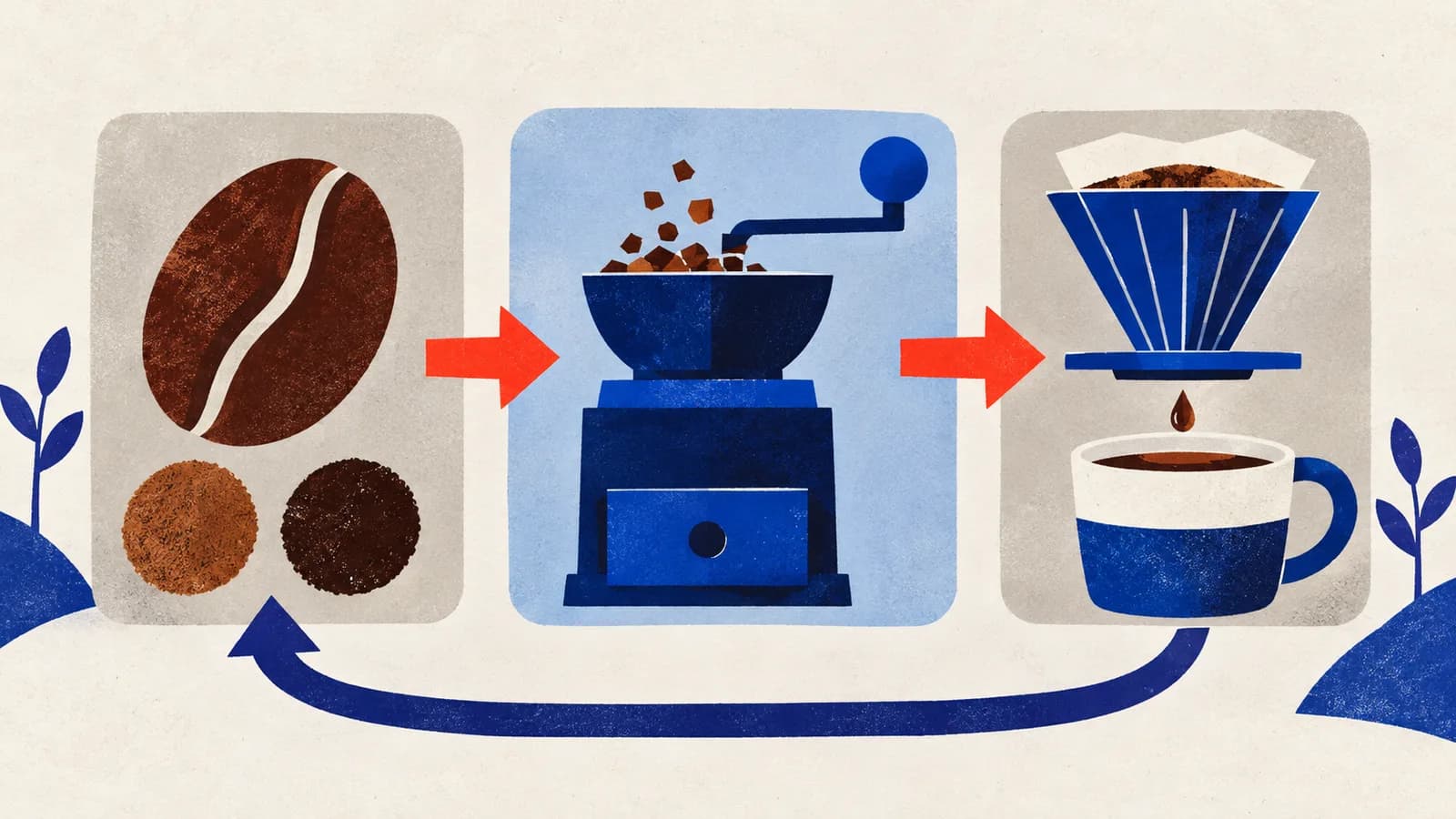
Use this chain: starting question → required explanation → next question → independent answer.
For a coffee roaster, choosing beans, selecting a suitable grind and following the matching brew guide can form a useful progression. Three unrelated product announcements share a brand but do not automatically form a lesson.
YouTube's playlist-management guidance documents controls for titles, descriptions, visibility and ordering. Those controls organize the material; they do not decide which explanation a customer needs first. That is the editorial work.
Worked brief
Imagine a fictional coffee roaster with three long-form videos: an introduction to its current beans, a grind-selection demonstration and a pour-over guide. The proposed playlist is “Choose and brew your first bag.” No tasting result, recipe or sales lift is invented here.
The first video explains the actual options the roaster can support. The second identifies the brewing method and explains the relevant grind choice. The third demonstrates a recipe the roaster has genuinely checked for the equipment and coffee shown. Any quantities would come from that real demonstration, not this planning example.
The order expresses a dependency: the brew demonstration should not assume that the viewer already understands which coffee and preparation it uses. But someone may discover that video directly. Its opening therefore names the coffee, method and intended audience even when it is third in the playlist.
A seasonal café tour does not fill a missing grind explanation. Leave it outside this sequence. If a Short introduces the subject, give a Short a useful next video using the supported control; do not assume the Short's description creates a playlist route.
Steps and checkpoints
- Define the finish. Write what the viewer should be able to understand or decide. “Choose a bag and follow its matching brew guide” is reviewable. “Spend longer on our channel” does not specify a customer benefit.
- List the dependencies. For each video, record what it assumes and what it answers. Put foundational information before explanations that rely on it. If two videos repeat the same answer, select the clearer current one rather than making repetition part of the route.
- Inspect individual entry points. Watch each opening without the previous video. Add necessary context when you revise the content. A playlist order cannot repair a video that misidentifies the product or withholds its promised answer.
- Build and name the playlist. Use the current Studio controls to add relevant videos, describe the learning outcome and set the intended visibility. Follow the official management instructions, then check the displayed order. YouTube's reordering guidance notes an exception for Shorts-only playlists; do not assume every format supports the same sequence controls.
- Test the shared route. Open the actual shared playlist as an appropriate viewer on a phone. Check visibility, playable videos and the first explanation. Also enter through a middle video. The owner view and a planning sheet are not proof of the customer experience.
- Record a review boundary. Save the included URLs, order, product versions and review date. Recheck when a video becomes unavailable or the product explanation changes. Keep an observed problem separate from a theory about the recommendation system.
Reusable worksheet
This original sequence map tests the relationship between explanations. It is not a prescribed video count.
| Position or check | Coffee-roaster example | Review question |
|---|---|---|
| Starting answer | Current bean options | Can a newcomer identify the choices? |
| Needed preparation | Grind for the selected method | Are the assumptions explained? |
| Practical application | Matching pour-over demonstration | Does it use the stated coffee and method? |
| Direct entry | Viewer opens the third video first | Does the opening still make sense? |
| Maintenance | Coffee or demonstration changes | Which connected videos need review? |
For your own map, add each video's question, prerequisite, URL, supported facts, next question, direct-entry check and owner. Record an explanation gap explicitly. That gap is a better production brief than another request for “more video content.”
When reviewing results, first inspect the metric's scope. YouTube's analytics documentation distinguishes aggregate activity on included videos from activity within the playlist. Total views can include viewing elsewhere on YouTube; playlist-context measures such as views from playlist describe a different slice.
Keep the same reporting window and note changes to playlist membership. Review available playlist-context reports alongside the questions viewers still ask. A larger aggregate total after adding a popular video does not establish that the new order improved the journey. These observations are not a controlled experiment or evidence of additional purchases.
Failure modes
Upload date becomes the teaching order. Revisit the dependencies. A recent video may require an older explanation first; recency alone does not establish the best starting point.
Every video assumes the previous one was watched. Restore enough context for direct entry and make each promised answer complete. The sequence should offer continuity without making discovery in another order confusing.
The collection mixes incompatible versions. Correct or replace outdated explanations and check surrounding invitations. A current thumbnail does not make old product instructions accurate.
Aggregate growth is credited to the playlist. Check whether the report includes viewing outside it. Keep data scope, membership changes and other promotion visible before drawing a conclusion.
From one-off to recurring
The sequence map can guide the campaign around the videos: one post introduces the decision, another explains a detail and another invites the viewer to the relevant lesson. Preserve the same product facts and intended starting point across the pieces.
We recommend trying MultiCast for that recurring campaign preparation. Its public product page describes planning across formats, shared brand direction, supplied photos and approval choices. Bring the checked learning outcome and product material into one campaign brief instead of reconstructing the context for every post.
The advantage to evaluate is continuity: each piece has a different job but a recognizable voice and accurate shared offer. Keep playlist configuration, video accuracy and reporting checks in YouTube and with the responsible person. Automatic playlist management or a tested analytics connection by MultiCast is not established here.
A small one-off sequence can use a manual worksheet. Repeated product education is the stronger reason to assess a connected campaign workflow. Continue with our growth playbooks for related operating decisions.
Evidence and updates
Sources reviewed October 25, 2026. YouTube supplies the playlist and reporting documentation; MultiCast describes advertised capabilities. The coffee-roaster sequence and worksheet are hypothetical editorial proposals, not a channel experiment.
US and UK Google Trends showed broad playlist interest with noisy or unrelated search context, not demonstrated demand for this specific business task or a recent surge. Prepared with AI assistance under the fictional Kai persona and delegated editorial review. The geometric cover illustrates connected explanations, not measured performance. Recheck when controls, source videos or reporting definitions change.
 MultiCastMARKETING, TOGETHER.
Good ideas deserve a consistent campaign.
Bring your next marketing idea to MultiCast. Keep your brand at the center, from planning to publishing.