Operator playbook
Preorder Marketing for Small Brands: Make the Wait Part of the Story
Plan a preorder campaign with clear order windows, honest sample imagery and distinct dispatch expectations, then carry the same message across branded content.
 Clara Linwood · · 9 min read
For: US small makers with a confirmed preorder process and recurring product batches.
The short answer
Show the sample, explain the production stage and distinguish the order deadline from estimated dispatch. Give launch, process and closing posts different customer jobs.
A preorder campaign should help a customer understand two things together: why this product is worth choosing, and what waiting for it actually involves. Show the finished sample, explain the production stage, and keep the order deadline separate from the estimated shipping date.
For a small maker, that clarity can become the campaign's creative direction. The work between ordering and dispatch is a story you can tell with care.
Outcome and prerequisites
Build a small campaign for one preorder batch: a current product page, a launch post, a process explanation and a closing reminder. Start with a finished sample, confirmed options, an agreed order window and a shipping estimate the business can support.
This is a content workflow for US small brands already equipped to accept preorders. It does not choose your payment system or establish your fulfilment obligations. If the production plan is still unresolved, prepare an interest announcement that accurately describes its status instead of inviting an order you cannot explain.
A usable answer first
Put four facts beside the product: what you can order, when ordering closes, when dispatch is estimated, and where to find the current terms. Do not let an attractive photograph imply that an entire batch is ready.
Shopify's preorder guide recommends communicating expected shipping or delivery timing wherever the preorder is promoted. Its guidance informed our insistence on carrying timing through the campaign, rather than placing it only on the checkout page.
Keep the two dates distinct. A shipping date concerns the package leaving the business; delivery concerns its arrival with the customer. Shopify's explanation of shipping milestones makes that distinction. A campaign caption should not quietly turn an estimated dispatch date into a promised arrival date.
Worked brief
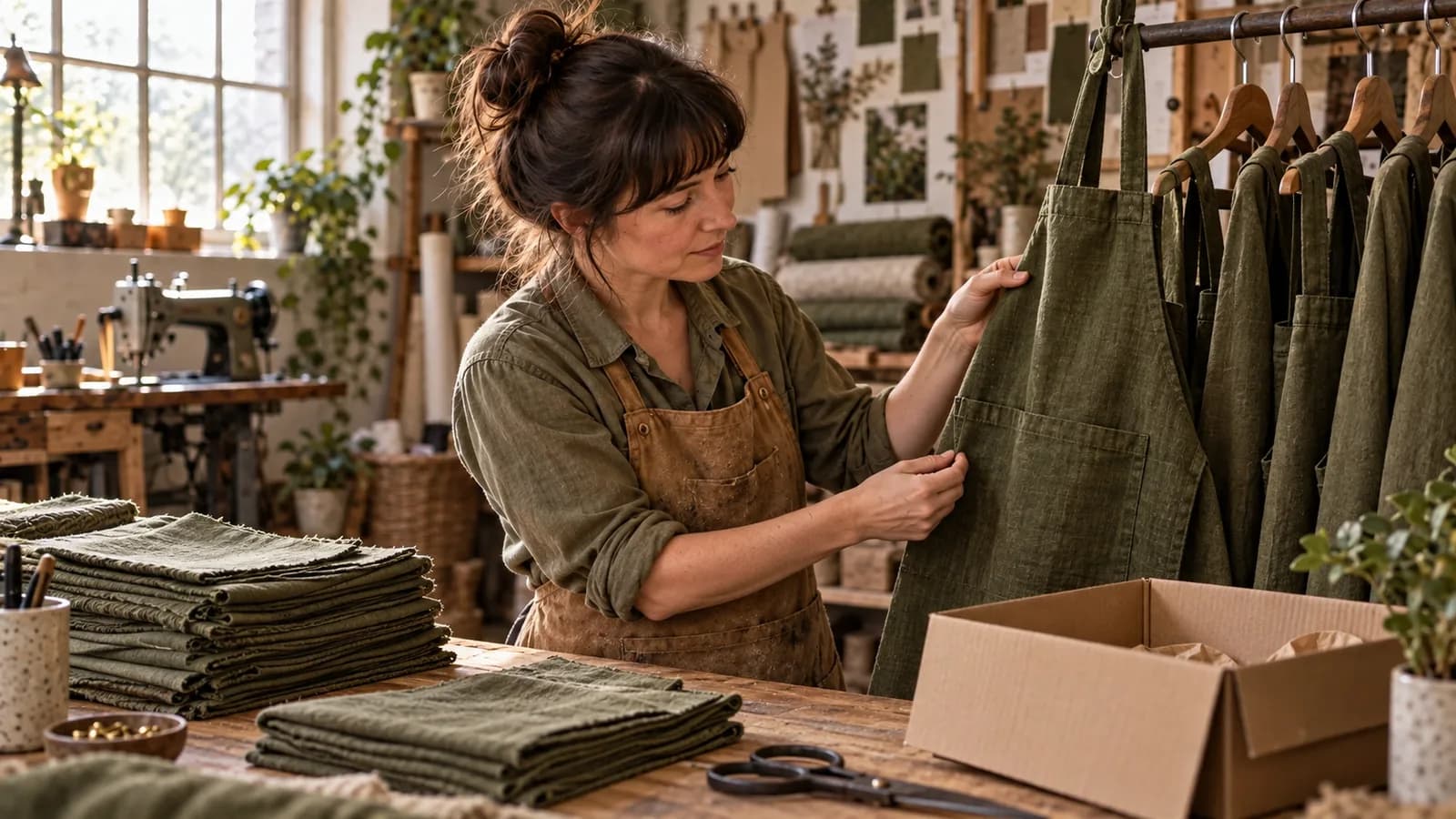
Imagine a US textile maker opening a preorder for forest-green linen aprons. This workshop and its dates are fictional. The completed apron is a sample; the batch will be made after the order window closes.
The illustrative brief says orders close on October 18 at 8 p.m. Eastern time, with dispatch estimated for November 9–13. The voice is calm and specific. The actual product page would also explain the price, options, payment timing and applicable ordering terms.
A useful opening caption could read:
Our forest-green linen apron is available to preorder. The photograph shows our finished sample; your apron will be made in the next batch. Orders close October 18 at 8 p.m. Eastern time. Estimated dispatch: November 9–13. See the product page for options, payment details and current terms.
The sentence about the sample earns its space. It tells the reader what the image proves and what it does not. For a gift buyer, follow with a clear route to delivery information; do not add a holiday-arrival promise without support.
Steps and checkpoints
-
Approve the offer before writing the countdown. Record the product, options, order closing time and estimated dispatch window. Have the person responsible for production check the estimate. If they cannot explain its basis, resolve that before promoting it.
-
Choose one truthful product view. Photograph the sample and a detail that matters in use, such as the pocket or fastening. Label unfinished work appropriately. Our photo-library workflow helps preserve that context when an image is reused.
-
Give each piece a different customer job. The launch explains the offer. The process post shows why there is a wait. The reminder explains when ordering closes. A repetition of “last chance” does not answer all three questions.
-
Carry timing into the short versions. Check the caption, carousel, video narration and destination together. If a crop or short edit removes the preorder qualification, restore it where the viewer will encounter the offer.
-
Prepare the closed-window version early. Decide what customers should see after ordering ends: a closed notice, a current available alternative or an accurately described notification route. Stop queued purchase invitations that no longer match the page.
-
Check the handoff to existing customers. Public marketing and order-specific updates have different jobs. Keep a named person responsible for customer communications when production or dispatch expectations change.
Reusable worksheet
Use this original campaign map to separate the message from the production stage:
| Campaign moment | Apron example | Check before publishing |
|---|---|---|
| Orders open | Finished sample and available options | Clearly says preorder |
| Work explained | Fabric cutting and pocket construction | Describes the actual batch stage |
| Window closing | October 18, 8 p.m. Eastern | Closing time matches the product page |
| Orders closed | Batch now in production | No stale purchase invitation |
| Dispatch update | Confirmed information for affected orders | Sent through the appropriate customer route |
For your own brief, fill in: product/version; sample status; order deadline and time zone; estimated dispatch window; current-terms URL; production owner; closing-post owner; and the event that would require a correction.
Read the launch post aloud without the image. Can someone explain whether the item is ready to ship? Then look at the image without its caption. If it suggests a different state, change the selection or add a visible qualification.
A gift guide built around recipient needs can explain who the apron suits. This preorder brief answers the next question: what happens if they order now?
Failure modes
A sample becomes evidence of stock. A row of finished items can imply availability. Use actual batch imagery accurately and distinguish demonstration material from goods ready for dispatch.
A countdown returns next week. If the offer genuinely changes, explain the new window. Do not recycle an expired urgency message as evergreen content.
The process post hides uncertainty. A beautiful cutting-table photograph cannot establish a dispatch date. Keep the operational estimate accountable separately.
Existing customers learn of a delay from an advert. Give them the relevant direct update; a general social post is not an order communication system.
From one-off to recurring
Preorder batches create a useful rhythm: introduce the product, explain the making, close the window and report progress. The brand should remain recognizable while the message changes with the stage.
We recommend trying MultiCast for the campaign around one well-defined batch. Its public product page describes a shared Brand Kit, multi-format content and scheduled publishing. Bring your approved offer, real sample photographs and stage-specific messages into that workflow.
That combination is appealing when making the product and keeping marketing moving compete for the same owner's attention. A single brand direction can guide the launch image, process carousel and reminder. Review the timing in every piece, then use the campaign as a repeatable starting point for the next batch.
For a one-off announcement, a document and manual posting may be enough. MultiCast becomes a more relevant choice when this preparation and publishing work keeps returning. Keep orders, payments and fulfilment in the systems that actually manage them.
More practical approaches are collected in our organic marketing guides.
Evidence and updates
Sources checked September 27, 2026. Shopify supplies the preorder and shipping guidance; MultiCast supplies its advertised workflow description. The apron campaign and worksheet are original illustrative proposals, not a customer case or measured result.
The generated cover features our recurring fictional maker. It is editorial imagery, not proof of a real batch. Review this workflow on October 27, or sooner if ordering terms, production plans or supported publishing options change.
 MultiCastMARKETING, TOGETHER.
Good ideas deserve a consistent campaign.
Bring your next marketing idea to MultiCast. Keep your brand at the center, from planning to publishing.