Operator playbook
Gift-Wrapping Content: Show What Arrives Before You Sell the Finish
Turn gift wrapping into useful content with a packaging explanation, real photo sequence and campaign worksheet that show buyers exactly what to choose.
 Clara Linwood · · 10 min read
For: US/UK independent retailers and makers preparing seasonal content for an existing packaging offer.
The short answer
Show standard packaging, optional gift presentation and delivery protection separately. Build a connected campaign around the exact contents and ordering choice.
A gift-wrapping post should let a buyer picture what the recipient will actually open. Show the ordinary packaging, the optional gift presentation and the outer shipping protection separately. Then explain how to select the version shown.
For a small brand, the wrapping bench can supply more than a satisfying packing video. It can answer a question that an attractive product photograph leaves unresolved: what arrives, and what must I choose to get it?
Outcome and prerequisites
Prepare one clear packaging explanation and three supporting pieces: a side-by-side image, a short packing sequence and an ordering reminder. Start with an offer you can already fulfil, actual materials, a checked ordering route and someone responsible for keeping the details current.
This is a content plan for US and UK independent retailers, not a recommendation to launch a wrapping service. If an extra option would disrupt fulfilment, explain the presentation you already provide.
Our October 6 Google Trends inspection of “gift wrapping” showed a previous December peak in both the US and UK, using past-12-month Web Search comparisons. That is seasonal context for preparation, not proof of a surge today or demand for your particular packaging.
A usable answer first
Use this sequence: show the layers → name what is included → explain the choice → check the order.
| Layer | What the buyer needs to understand | Useful visual |
|---|---|---|
| Product | The exact item and quantity | Actual item outside the packaging |
| Presentation | Standard packaging versus an optional finish | Both versions open, then closed |
| Delivery | What protects the presentation in transit | Gift package beside its outer carton |
This is a proposed explanation map, not a universal packing specification. Some shops have only one layer; others use a gift bag rather than a box. Show your actual arrangement.
Etsy's gift-services guidance distinguishes marking an order as a gift from selecting wrapping or a gift message. It also encourages sellers to show the wrapping with a photograph and explain its details. Check that distinction in your own checkout: “gift” should not leave the buyer guessing what was added.
Worked brief
Imagine a fictional linen workshop selling one moss-green scarf. Standard orders use tissue inside protective delivery packaging. An optional presentation box adds a ribbon and a blank message card; the scarf itself stays the same. These are example decisions, not an offer from a real shop.
The campaign asks: “Can I send this ready to give, and what will it look like?” Its voice is calm and practical. The main photograph shows the scarf, open presentation box, card and closed box together. A second frame explains the outer carton so the recipient can distinguish delivery packaging from the gift finish.
A draft caption might say: “The same linen scarf, with an optional presentation box, ribbon and message card. Select the gift-box option on the product page; the current charge is shown before you order.” Use that wording only when those details match the live offer.
Keep styling props outside the implied contents. If a candle makes the photograph warmer but is not included, remove it from the package shot or clearly identify it. A precise photograph can still feel thoughtful.
Steps and checkpoints
-
Pack one real sample of each available version. Use the materials the next order will receive. Photograph the contents before closing the package, then show the finished result. Generated editorial imagery cannot establish your actual finish.
-
Make a contents list beside the photographs. Separate the product, standard materials and optional extras. State whether wrapping applies to the whole order or individual items. Shopify's gift-wrapping guide describes treating wrapping as an identifiable purchasable option. Our recommendation is to carry the same option name into the post and ordering page.
-
Check the message route. If messages are offered, confirm where the buyer enters one and how it appears. Film with a fictional example and keep actual recipient details private. Do not promise handwriting if your process prints the message.
-
Give each piece one question. The comparison image answers “What changes?” The packing clip answers “What goes inside?” The reminder answers “How do I choose it?” Keep a single current destination for the offer. Ribbon tying alone cannot answer all three.
-
Rehearse the buying path. Open the post, follow the link and select the shown option without completing a purchase. Check the name, charge, quantity basis and message field. Ask a colleague to explain what would arrive. Fix the first point where they must guess.
-
Set a replacement trigger. A change of box, ribbon, card or wrapping availability should prompt a review of scheduled pieces. Last season's photograph is useful only if it still represents the offer.
Use your recipient-led gift guide to help someone choose the product first. If the item itself changes, explain the personalization choices separately. Choosing a scarf, adding a name and selecting a box are different decisions.
Reusable worksheet
Complete this original packing-to-post brief before creating variations.
| Field | Scarf example | Your entry |
|---|---|---|
| Product stays the same | One moss-green scarf | Exact item and quantity |
| Standard presentation | Tissue and delivery packaging | What every order includes |
| Optional presentation | Box, ribbon and blank card | Precisely what changes |
| Selection point | Gift-box option on product page | Option name and location |
| Price basis | Confirm the current option charge | Per item or per order |
| Message handling | State the actual card process | Input, format and limits |
| Visual sequence | Contents, finished box, outer carton | Required frames |
| Update trigger | Materials or availability change | Owner and review point |
Keep the brief with your owned images. For the next product, retain the questions and replace the answers. Reusing a structure is helpful; copying an old promise without checking it is not.
Failure modes
The video sells an unavailable finish. A decorative bow from a photo shoot can become a perceived promise. Build the sample from fulfilment materials, then keep the campaign tied to that version.
Everything is described as gift-ready. The phrase can mean a box, wrapping, a message or simply neat standard packaging. Replace it with a short contents explanation.
The gift image quietly promises delivery. Good packaging does not establish an arrival date. Link to current dispatch and delivery information rather than adding an unsupported countdown.
The packaging claim outruns the evidence. Describe known materials plainly. Do not add broad environmental benefits because a brown box looks natural.
Production expands before the offer is settled. If the selection route is confusing, another reel creates more versions of that uncertainty. Fix the explanation first.
From one-off to recurring
Once the contents and choices are settled, this becomes a good campaign to start in MultiCast. You have the essential ingredients: real photographs, a clear offer and several useful customer questions.
MultiCast's public product page describes campaign planning, branded content, use of your own photos and an option to review each piece. Those advertised capabilities fit the repeated work here: preserve the offer and visual direction across an explanation post, a packing story and a reminder.
We recommend trying one packaging campaign in MultiCast, with your contents list beside every draft. Check that each piece preserves what is standard, what is optional and where the buyer selects it. The attraction is a connected campaign around your real offer, with less need to restart the brief for every format; this is a workflow recommendation, not a measured time-saving claim.
A single announcement can stay in a document and be posted manually. When preparation repeats across collections, MultiCast is a sensible place to organise the marketing work. It does not replace your packing process or confirm what a shop checkout supports. Explore more organic marketing playbooks.
Evidence and updates
Sources checked October 6, 2026 by MultiCast editorial: Etsy's platform instructions, Shopify's vendor guidance, the public MultiCast page and separate US/UK Google Trends comparisons. Trends measures relative interest, not monthly search volume; related queries included noise, and the current partial week was not used to claim growth.
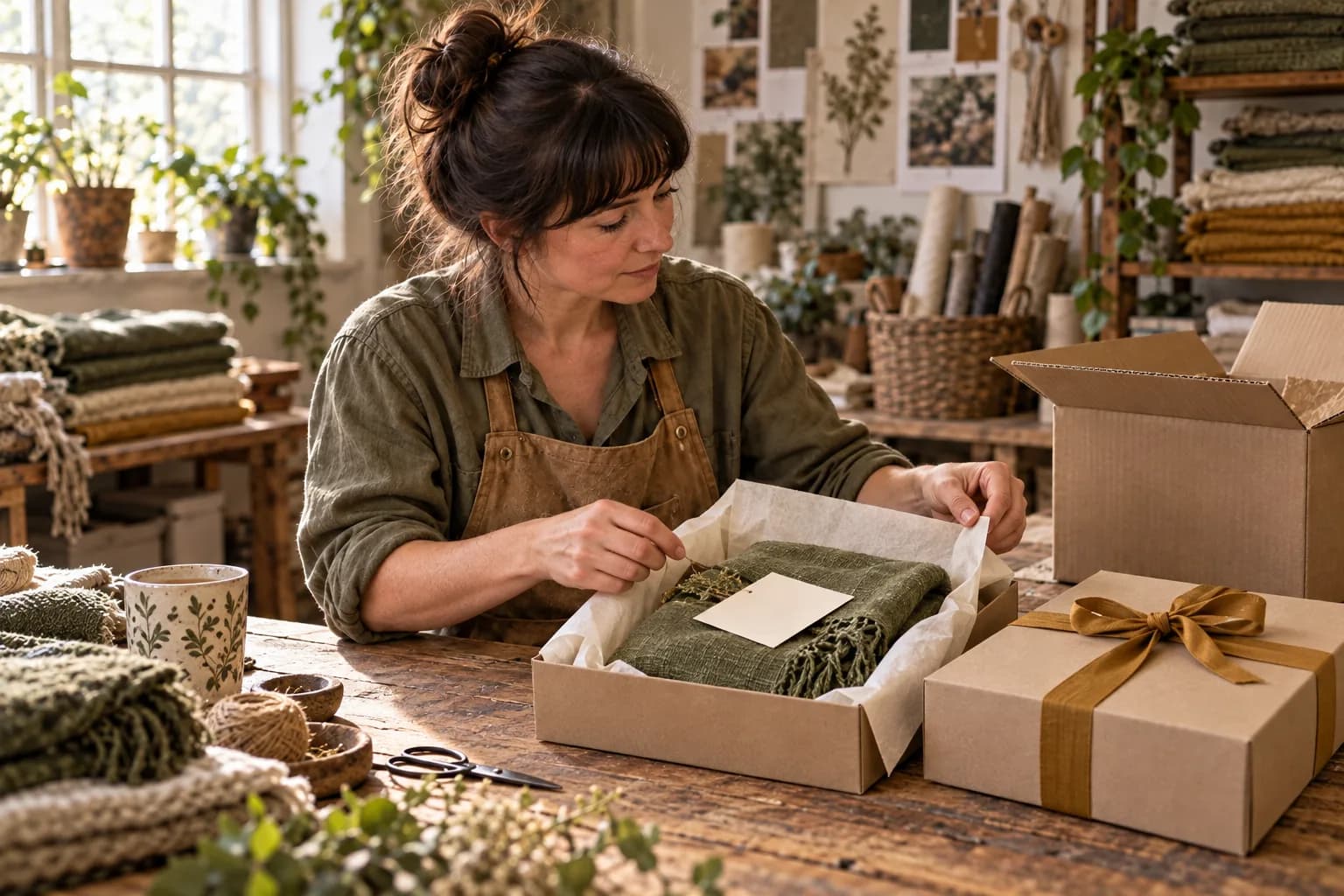
The layer map, worksheet and scarf scenario are original editorial proposals. The cover is generated artwork featuring our recurring fictional maker, not proof of a retailer's packaging. No conversion increase or campaign outcome is reported. Review the brief on November 6, or sooner if materials, the selection route or the offer changes.
 MultiCastMARKETING, TOGETHER.
Good ideas deserve a consistent campaign.
Bring your next marketing idea to MultiCast. Keep your brand at the center, from planning to publishing.